# Welcome to X721 Marketplace
The world of Non-Fungible Tokens has become a dynamic and influential force, offering a revolutionary way for artists, creators, and innovators to tokenize and showcase their work. As the popularity of NFTs continues to surge, navigating the complex and ever-evolving ecosystem becomes a crucial aspect of ensuring the success of your NFT project. This is where the expertise of our NFT Launchpad Development service becomes instrumental, providing a reliable compass for creators to navigate the intricacies of the NFT space with confidence.
However, many argue that ever since the NFT market has gained saturation, digital assets have been inclining their way toward the metaverse universe. The AI-engineered universe has given NFT marketplace development much potential to grow.
You might have wondered why people invest in a piece of code. Well, here is the catch; the fear of losing out to winning ownership and its uniqueness have driven the charm. Moreover, the instability in the crypto world stirred many with the question that does the NFT’s spectacular show is doomed to be faded one day.
Moreover, when NFT market becomes more mature, a potential niche like NFTFi is rapidly growing that sits at the intersection between NFT and DeFi, with the ultimate goal of unlocking additional value, opportunity, and liquidity for the NFT market. So how is X721 Marketplace going to fit in with all of this evolution?
{% hint style="info" %}
Endorsed by U2U Foundation, X721 Marketplace is an innovative and the first NFT Marketplace in U2U Network ecosystem that allows users to mint, buy and sell NFTs easily and conveniently.
{% endhint %}
### 🏗 X721 Marketplace - an Infrastructure for U2U NFT Ecosystem
The smart contracts of X721 Marketplace are tailor-made within a modular framework, facilitating the gradual introduction of new features without jeopardizing security. This adaptability is possible due to standardized signatures that precisely outline the execution scope. Consequently, we are poised to introduce innovative interactions, such as the following (coming soon):
1. **Collection Offer** - Propose an offer that encompasses all NFTs within a chosen collection.
2. **Trait Offer** - Extend an offer to purchase any NFT with a specific trait within a collection, for instance, BAYC with Gold Fur.
From utilizing some of the world’s most powerful search infrastructure down to implementing on-chain standards like ERC721 - ERC1155, X721 Marketplace’s technical architecture (contracts, database, API, frontend, search) has been designed from the floor up for **scalability, speed and security** using the latest and greatest tech.
We’ve also made sure to retain compatibility for deploying on U2U scaling solutions when they're ready for the masses.
### 🤝 X721 Marketplace - the most friendly UX for mass adoption
X721 Marketplace is designed to be as easy to use as possible with advanced features that usually require an amount of technical knowledge but X721 Marketplace allows users with no technical knowledge at all.
This makes X721 Marketplace's flexibility and UI for users extremely easy to use. This happened thanks to a deep understanding of user need through long-term market experience. As a result, we have launched and are ready to launch cutting-edge interactions like the following:
* No Code ERC721/ERC1155 NFT Creation Tool
* No Code ERC721/ERC1155 Collection Creation Tool
* Personal X721 Marketplace Profile
# Supported Wallet
Below are the wallets tested and supported by X721 Marketplace:
* [MetaMask](https://metamask.io/)
* Wallet Connect
* U2U Super App
### Wallet Connect[](https://docs.x2y2.io/guides/getting-started/supported-wallets#wallet-connect)
While it is possible to connect via wallet-connect on mobile phones and tablets, it is highly recommended to utilize DApp browser within your wallet application instead.
If there are no other options but to log in through wallet-connect, please ensure to take the following precautions:
* Always open X721 Marketplace using a fully-featured browser such as Safari or Chrome.
* Do not open X721 Marketplace within any other applications, such as Discord, Telegram, or Twitter, as there are many known compatibility issues for wallet-connect in such cases.
* Make sure to select the U2U network when connecting.
# Connecting Wallets
Be sure to read the [Supported Wallet](/getting-started/supported-wallet) before connecting X721 Marketplace with your wallet.
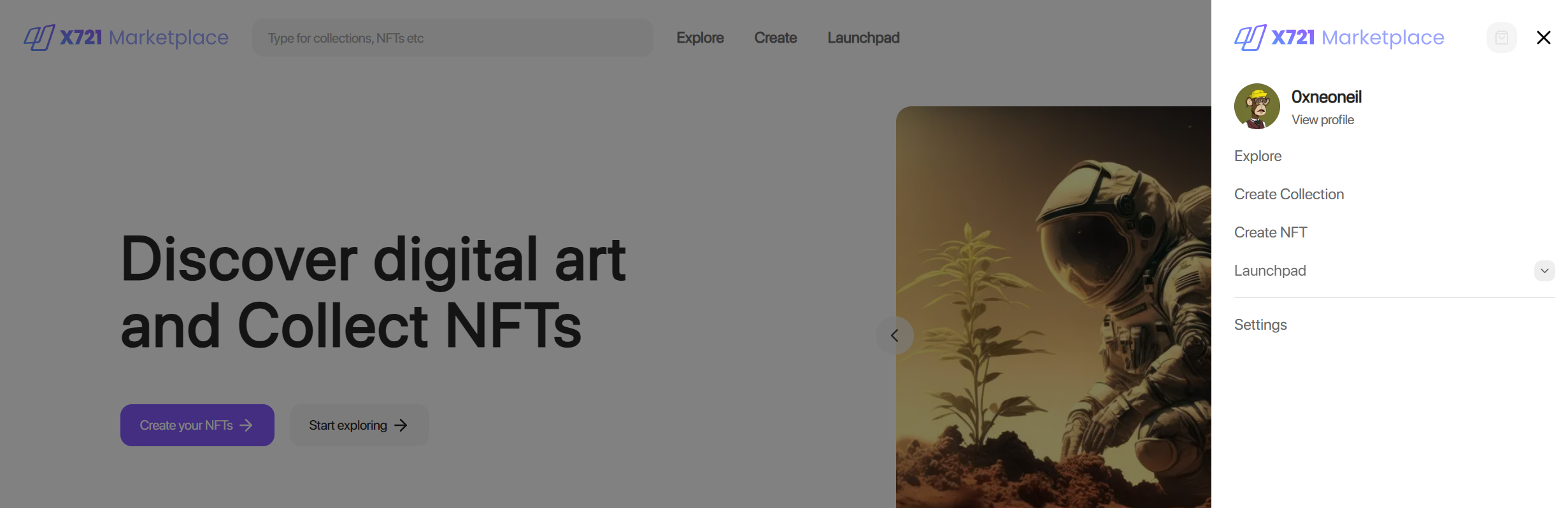
1. In the right top corner, you can see a wallet icon if your wallet is not connected yet.
2. Click the button will reveal a popup where you can select the wallet you want to use.
3. When connected the wallet icon in the right top corner would turn into your wallet address.
# X721 Marketplace
# Create NFT
# Mint A Single NFT
X721 Marketplace allows anyone to create a single NFT with a vast variety of technical trait that users don't require to have any technical knowledge and still feel extremely easy to get thing done.
# ERC721 Single NFT
If you're only interested extremely focused on uniqueness when coming to mint NFT, we recommend the ERC721 NFT standard for simplicity of creation.
1. Hit **Single Item** option for create NFT
2. Upload file in format of .PNG, .JPEG, .GIF, .WEBP, .MP3, .MP4, .MPEG, .WEBM (max file capicity iss 100mb)
3. Choose NFT Collection that this NFT belong (or create one)
4. Fill in NFT Name, Description, Royalties
5. Create NFT traits and fill in. (Advanced settings)
# ERC1155 Single NFT
If you're interested in multiple mint for a pack of similar or different collection of NFT, we recommend the ERC1155 NFT standard for simplicity of creation.
1. Hit **Multiple Edition** option for create NFT
2. Upload file in format of .PNG, .JPEG, .GIF, .WEBP, .MP3, .MP4, .MPEG, .WEBM (max file capacity is 100mb)
3. Choose NFT Collection to which this NFT belongs (or create one)
3. Fill in NFT Name, Description, Royalties
5. Choose quantity that mint with this specific NFT attribute.
5. Create NFT traits and fill in. (Advanced settings)
# Create A Collection
# ERC721 NFT Collection
Users could create their own NFT Collection with ERC721 NFT Standard. These collection will only be access with admission right (mint, burn,...) by the creator.
1. Hit **Single Item** option for create NFT Collection
2. Upload file in format of .PNG, .JPEG, .GIF, .WEBP, .MP3, .MP4, .MPEG, .WEBM (max file capacity is 20mb)
3. Fill in Collection Name, Symbol, Short URL, Description
# ERC1155 NFT Collection
Users could create their own NFT Collection with ERC1155 NFT Standard. These collection will only be access with admission right (mint, burn,...) by the creator.
1. Hit **Multiple Edition** option for create NFT Collection
2. Upload file in format of .PNG, .JPEG, .GIF, .WEBP, .MP3, .MP4, .MPEG, .WEBM (max file capacity is 20mb)
3. Fill in Collection Name, Symbol, Short URL, Description
# Buying NFT
# Buying Fixed Price NFT
When buying an NFT, you can buy it instantly if there are a price for it.
If you're only interested in a single NFT, we recommend the **Buy Now** flow for the simplest checkout experience — the latter option is better suited to users buying multiple NFTs, spanning multiple collections.
1. Hit **Buy Now** to kick off the process.
2. A modal will appear, asking you to review your purchase. If it all looks good, hit **Confirm and Pay** to continue.
3. If you haven't made a purchase on X721 Marketplace website with before, you'll need to enable U2U spending. This transaction will only cost a gas fee, and it ensures U2U can facilitate any future purchases, too (provided you don't revoke the permission).
4. Finally, you'll be asked to confirm the purchase in your wallet. Do so to finalize the purchase of your new NFT.
# Offer on One NFT
Making an offer on an NFT is when a buyer expresses their willingness to purchase the NFT at a specified price. As the seller, you have the option to either accept or ignore the offer.
* Offers are paid in U2U.
* Making an offer does not necessarily move your money out of your wallet until it is accepted by the seller.
* Offers can be cancelled anytime before they are accepted.
* Offers are set with an expiration time. The offer will be cancelled once the time is up.
* If the NFT that received an offer is transferred to another address, the offer remains valid.
### Make an Offer[](https://docs.x2y2.io/guides/how-to-buy-nfts/offer#make-an-offer)
To make an offer on an NFT, open the detail page of the NFT you are interested in. Click the blue **Place a bid.**
and a dialogue box will appear where you can fill in the offer price and expiration date.
Make sure you have enough U2U in your wallet to cover the offer.
After you filled the price and expiration date, click the Place Bid button in the pop-up, and your wallet will prompt you to confirm a signature.
If this is your first time making an offer, your wallet may prompt you to approve U2U before the signature.
# Selling NFT
# Listing an NFT for a Fixed Price
When selling NFTs at a fixed price, it's important to know that you can cancel the listing at any time before a purchase is made. Additionally, if the NFT is transferred to another address, the listing will be automatically cancelled.
To list an NFT at a fixed price, follow these steps after connecting your wallet using our [connecting wallet guide](/getting-started/connecting-wallets):
1. Click on your avatar located in the top right corner after connecting your wallet, and select **My Profile**.
2. Navigate to the NFT you want to sell and click the Fixed price button. Fixed price button. You'll see a dialogue box where you can set the price and currency (only U2U is supported at the moment). Once you've filled in the details, click the List button.
3. A two-step request will pop up, with Step 1: Approval and Step 2: Signature. The approval step is a one-time only action for each collection, unless you revoke the approval later on. Listing dialogue
4. After you approve the transaction, the listing will be completed when you confirm the signature.
# Accepting an offer on your NFT
1. To accept an offer on your NFT, navigate to its detail page.
2. Click the "Offers" tab to view all the offers made on your NFT.
3. Locate the offer you want to accept and click the Accept button.
4. A pop-up will appear with two steps: Approval and Accept Offer. You only need to approve the collection once, unless you later revoke your approval.
5. Once you've approved the collection, the pop-up will automatically proceed to Step 2 and ask you to confirm the transaction. The NFT will be transferred to you once the transaction is confirmed.
# X721 Marketplace Launchpad
# Projects
If you want to join X721 Marketplace Launchpad to launch your collection, please fill out this form:
{% embed url="" %}
In case you need to communicate with someone, please contact via:
# Users
# Launchpad Round
There will be three type of round, including
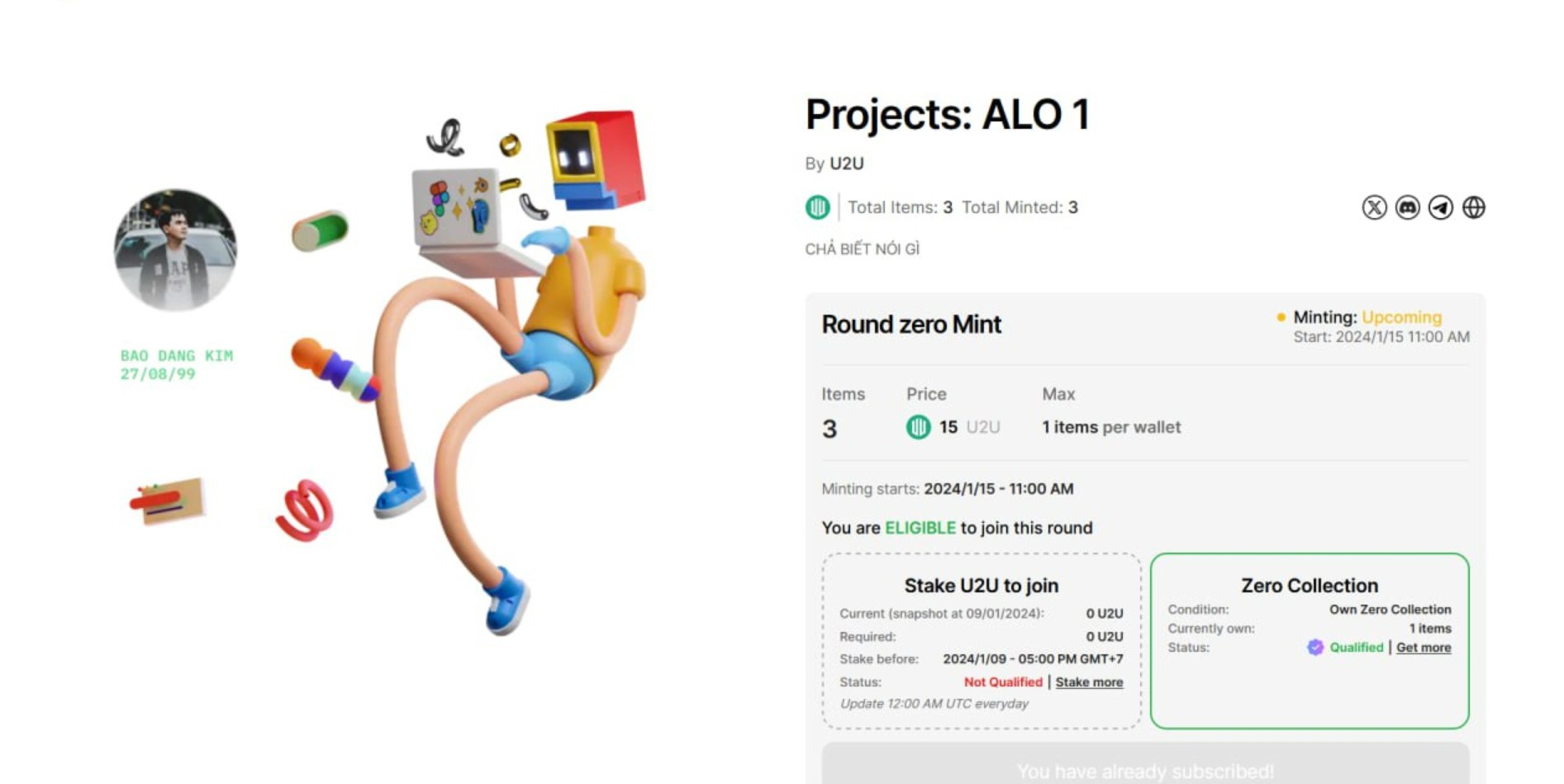
* Round Zero : Users require already stake a certain amount of U2U or own a NFT from Ultra Zero Collection
* Whitelist : Users are whitelisted to buy NFT from the Creator
* Public Sale : Open for everyone
Creators are allowed to create from a minimum of one round to maximum six rounds as total.
Note : Round Zero are obligatory round so benefit for U2U Staker and Ultra Zero NFT Holder are always highest
# INO Participate Process
Step 1: Check Round Eligible, there will be 3 scenarios that could happen, including:
* Round Zero : Users are required to either stake a certain amount of U2U or own an NFT from the Zero Collection.
* Whitelist : Users are whitelisted to buy NFT from the Creator.
* Public Sale : Open to everyone.
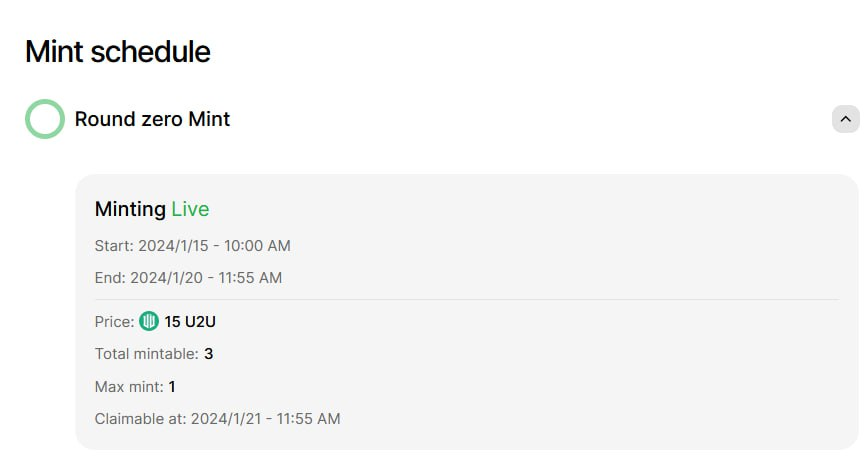
Step 2: Mint your NFT when it comes to the minting period.
Step 3: Depend on each project will have a different claim time, remember to claim your NFT.
# U2NFT Ultra Zero Collection
{% hint style="info" %}
Under Construction
{% endhint %}
# NFTnomics
{% hint style="info" %}
Under Construction
{% endhint %}
# Mechanism
{% hint style="info" %}
Under Construction
{% endhint %}
# Fee
## Launchpad
All the fees are charged by the creator, all the users of X721 Marketplace do not need to take care about this.
If you are the creator, please check [here](/guides/x721-marketplace-launchpad/projects)
## Marketplace
* 1.5% transaction value on every transaction
# FAQs
# Glossary
**APR:** Annual Percentage Return.
**Collection:** A set of NFTs within the same contract.
**Collection Offer:** An offer which gets submitted on all items within a collection.
**Contract:** An U2U smart contract
**Floor Price:** The lowest amount of money required to spend to obtain an NFT using the *Buy Now* function.
**Gas:** The cost required to perform a transaction, priced in U2U.
**Launchpad:** Igniting the Future of Digital Collectibles.
**Royalties:** Fees which are paid to collection owners upon each trade done on X721 Marketplace.
# Which activities are required gas fee on X721 Marketplace?
Gas fees are transaction fees on Aptos/Sui. BlueMove does not receive these fees and is not able to refund them.
#### Actions that Cost Gas[](https://docs.x2y2.io/guides/faqs/what-are-gas-fees#actions-that-cost-gas)
The actions below consume gas fee:
* Listing an NFT;
* Buying an NFT;
* Bulk transaction;
* Accepting an offer;
* Canceling a listing;
* Transferring NFT to another address;
* Minting NFT;
* Buy Launchpad;
* ....
#### Gas-Free Actions[](https://docs.x2y2.io/guides/faqs/what-are-gas-fees#gas-free-actions)
The actions below will do not require paying gas fees.
* Connect Wallet;
# Which blockchains does X721 Marketplace support?
X721 Marketplace is a U2U ecosystem native marketplace, meaning you can buy, mint and sell NFTs on U2U blockchain.
More specifically, that means whenever a collection owner wants to reach U2U ecosystem NFT community than X721 Marketplace is perfect option.
Moreover, X721 Marketplace currently supports U2U Blockchain, although we’re planning to integrate more blockchains in the near future.
**Important note:** Once you’ve bought an NFT on one blockchain, you can’t move it to another.
# Is connecting my wallet to X721 Marketplace secure?
Just like your physical wallet, your crypto wallet is secure as long as you don’t compromise it.
When you connect your wallet to X721 Marketplace, you only give us permission to “view the addresses of your permitted accounts”, meaning we can’t take anything out of your wallet.
Any transaction that costs you anything will be a separate pop-up that you have to confirm each time.
So, you’re safe when you’re on X721 Marketplace — but what about other pages? Follow these guidelines:
Crypto wallets are almost impossible to hack. Most of the “hacks” you hear about are actually mistakes: The owner interacted with a malicious site or gave a scammer access to their wallet.
Sometimes, bad actors DM you from a fake support account and ask you for the 12-word seed phrase. **NEVER** give that phrase to anyone. Ideally, write it down on paper so it stays completely offline.
Here we are on the frontier of technology, telling you to write things down on paper. But only you can keep your wallet safe—so here’s a few guidelines on how you can make sure you don’t get scammed:
* Never share your private keys, seed phrase or wallet passwords.
* Store your private keys using a verified digital vault so that your information is safe and easily accessible to you.
* Verify every transaction you sign and only connect your wallet to websites/apps you trust.
# I bought an NFT from someone, but I think I was scammed. What happened?
One of the best things about web3 is that anyone can transact with anyone else anonymously. Unfortunately, that also applies to scammers.
While we immediately ban any confirmed scammers from our platform, web3 is permissionless. So the best way you can keep yourself from getting scammed is doing your due diligence and research on anyone you buy or trade NFTs with.
# What are your community rules and guidelines?
Just be cool. That’s pretty much it. We’re a community-driven marketplace. So if the community is awesome, everyone has a good time!
As long as you don’t do anything illegal, unethical or hateful, you should be fine. Whoever does can’t be on our platform.
Seriously, BlueMove never condones hate speech, general illegal behavior, violent rhetoric, spam or fraudulence of any kind. If you witness any BlueMove user defying our rules and guidelines, please report them to make the community better for everyone.
If these guidelines are violated, the culprit may be banned or blacklisted following an internal, case-by-case investigation.
# Where can I find X721 Marketplace's terms and copyright policy?
# What is X721 Marketplace’s privacy policy?
# I can’t see my NFT on X721 Marketplace, what’s wrong?
Blockchain technology is still pretty new, so not everything always works perfectly. If you can’t see your NFT, you can usually fix it with the following steps:
1. Disconnect your wallet.
2. Refresh page.
3. Connect the wallet again.
After waiting a few minutes, your NFT should appear. If it doesn’t, please contact our support at
# Who can join Whitelist Launchpad?
Round Zero
* U2U Staker
* Zero Ultra NFT Holder
Whitelist Round
* Users that whitelisted by Project Creator
Public Round
* All X721 Marketplace users are allowed to join
# Roadmap
Coming soon...
# Useful Link
Github :
Brand :